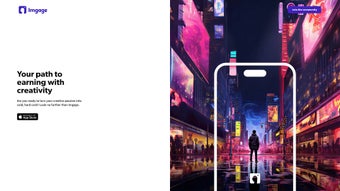

Download Imgage – AI Art Generator, Marketplace & Monetization Tool
Overview
Imgage is a web‑based creative platform that blends state‑of‑the‑art AI image synthesis with a built‑in marketplace for selling the resulting artwork. Powered by diffusion models that have been refined through months of research, the service can translate a simple text description into a high‑resolution visual piece in under fifteen seconds. The interface is deliberately minimal: a prompt box, a style selector, and a preview window sit side by‑by‑side, allowing users of any skill level to focus on ideas rather than technical settings. Beyond generation, Imgage offers community tools such as follower streams, style‑specific groups, and weekly challenges that encourage collaboration and visibility. For creators looking to monetize their output, the platform supplies a full‑stack commerce solution – from listing and pricing to secure checkout and automated royalty distribution. Whether you are a freelance designer needing quick mockups, a marketer hunting unique visual assets, or an independent artist aiming to open a new revenue channel, Imgage provides a secure, scalable environment that works on any modern browser. The service also respects user ownership: generated images belong to the creator, and the platform’s terms grant unrestricted commercial rights as long as the underlying AI model is not redistributed. In short, Imgage unifies creation, community, and commerce under a single, cross‑platform umbrella, making it an attractive option for anyone who wants to turn imagination into profit without investing in expensive hardware.
Key Features & Capabilities
- Text‑to‑Image Engine: Transforms natural‑language prompts into detailed images in seconds, supporting multiple resolutions up to 4K.
- Extensive Style Library: Includes over 30 predefined artistic styles ranging from classic oil painting to modern digital glitch, plus a “Custom Blend” option for hybrid looks.
- Adjustable Generation Parameters: Users can fine‑tune color palettes, brush stroke intensity, and abstraction levels, giving precise control over the final output.
- Integrated Marketplace: List artworks directly on Imgage, set pricing tiers, define royalty splits, and receive payouts through PayPal, Stripe, or supported crypto wallets.
- Real‑Time Earnings Dashboard: Visualize sales trends, total revenue, and upcoming payouts with interactive charts that update instantly after each transaction.
- Community Hub: Follow creators, join genre‑specific groups, comment on works, and participate in curated challenges that boost exposure.
- Secure Payment Processing: End‑to‑end SSL encryption, PCI‑DSS compliance, and GDPR/CCPA adherence protect personal and financial data.
- Cross‑Platform Accessibility: Fully functional on Windows, macOS, Linux, Android, and iOS browsers; no local installation required.
- Free Tier & Scalable Plans: Generate up to 20 images per month at no cost; premium subscriptions unlock unlimited renders, priority GPU queues, and lossless TIFF export.
- Continuous Model Updates: Monthly AI improvements introduce new styles, higher fidelity, and reduced artifacts, keeping the tool competitive.
Installation, Usage & Compatibility
Getting Started – No Download Needed
Because Imgage is delivered entirely through the cloud, there is no traditional installation process. To begin, navigate to www.imgage.com, click “Sign Up,” and complete the brief registration form (email, password, and email verification). Once logged in, the dashboard appears with a clean workspace: a large text input for prompts, a drop‑down menu of artistic styles, and a real‑time preview pane.
Step‑by‑Step Workflow
- Enter Your Prompt: Describe the desired scene, e.g., “a cyberpunk cityscape at dusk, viewed from a rooftop, in neon‑light watercolor.”
- Select a Style: Choose from the style list or use “Custom Blend” to merge two aesthetics.
- Adjust Advanced Settings (Optional): Modify resolution, detail level, or color saturation for finer control.
- Generate: Press “Create.” The AI processes the request on Imgage’s servers and returns an image within 5‑15 seconds.
- Refine or Save: Use the built‑in editor to crop, add text, or apply additional filters. Click “Save to Gallery” to store the image in your personal collection.
- Monetize: Click “List for Sale,” set a price, select royalty percentages, and publish. The marketplace automatically handles listings and discoverability.
- Track Earnings: Open the “Earnings” tab to view sales, pending payouts, and historical performance.
Compatibility & System Requirements
Imgage runs on any device equipped with a modern web browser that supports WebGL and HTML5. Tested browsers include Chrome, Firefox, Safari, Edge, and Opera on Windows 10/11 and macOS Ventura, as well as Chrome and Safari on Android 11+ and iOS 15+. Because all heavy processing occurs on Imgage’s cloud infrastructure, local hardware demands are minimal—only a stable internet connection (minimum 5 Mbps recommended) and a display resolution of at least 1280 × 720 are needed for an optimal experience. The platform also supports dark‑mode rendering for reduced eye strain on compatible browsers.
Pros, Cons, FAQ & Conclusion
Pros
- Instant AI generation without requiring a local GPU.
- Broad library of artistic styles catering to both traditional and digital creators.
- All‑in‑one marketplace eliminates the need for external e‑commerce tools.
- Secure, encrypted transactions with transparent royalty structures.
- Generous free tier allows newcomers to explore before committing.
- Responsive design works flawlessly across desktops, tablets, and smartphones.
- Active community encourages collaboration, feedback, and exposure.
- Monthly model upgrades keep output fresh and technologically current.
Cons
- Free tier limits the number of monthly renders, which may hinder high‑volume users.
- Offline creation is impossible; a stable internet connection is mandatory.
- Advanced style customization can be overwhelming for users without a design background.
- Marketplace fees (5 % per transaction) reduce net earnings.
- Commercial usage rights depend on compliance with Imgage’s licensing terms.
Frequently Asked Questions
Is Imgage really free to use?
Yes. The free tier allows up to 20 image generations per month and the ability to list five items in the marketplace. Premium plans start at $9.99 per month and provide unlimited renders, higher‑resolution exports, and priority support.
Can I sell AI‑generated artwork created with Imgage?
Absolutely. Imgage’s built‑in marketplace lets you set prices, define royalty splits, and receive payments directly via PayPal, Stripe, or supported crypto wallets. All sales are reflected instantly in your earnings dashboard.
Do I retain copyright ownership of my creations?
Imgage’s terms grant you full ownership of any image you generate, provided you adhere to the platform’s usage policy. You may sell, license, or modify the artwork as you wish, but you cannot redistribute the underlying AI model.
What file formats can I download?
Standard users can download PNG or JPEG files. Premium subscribers also have the option to export lossless TIFF files, which are ideal for large‑format printing.
Is my personal and payment data safe?
Imgage employs SSL encryption for all data transfers and follows GDPR and CCPA guidelines. Payment processing is handled by PCI‑DSS‑certified partners, ensuring that sensitive financial details never reside on Imgage’s own servers.
Conclusion – Should You Download Imgage?
Imgage delivers a compelling mix of AI‑driven art creation, community interaction, and monetization tools within a single, browser‑based platform. Its intuitive workflow lowers the barrier to entry for beginners while offering enough depth for seasoned professionals. The free tier provides ample opportunity to test the service, and the premium plans are reasonably priced for creators who need unlimited output and higher‑resolution assets. While the requirement for an internet connection and the modest marketplace fee are worth noting, they are outweighed by the convenience of having generation, sales, and analytics all in one place. If you are looking for a secure, regularly updated app that works on Windows, macOS, Android, and iOS—and you want to turn text prompts into revenue—Imgage is a solid choice. Download Imgage today, start generating, and join a vibrant community of artists turning imagination into profit.



.png)



